
LayerAudit / LPA
Audit Checklist Software for Manufacturing Teams
See how to set up a digital audit checklist, run it on the shop floor, and follow findings through corrective action in LayerAudit.
Follow one audit checklist from setup to follow-upPublished by LayerAudit
Follow one audit checklist from setup to follow-up
Use an existing workbook as a reference. Enter each observable question with its acceptance criteria, then assign the checklist to the process and the people who will perform the checks. Keep instructions short enough to read at the point of work.
Run a sample audit before rolling it out. Record an exception, assign an owner and check whether another auditor can trace the issue back to the original response. Validate your team’s import and reporting requirements in the demo or with LayerAudit.
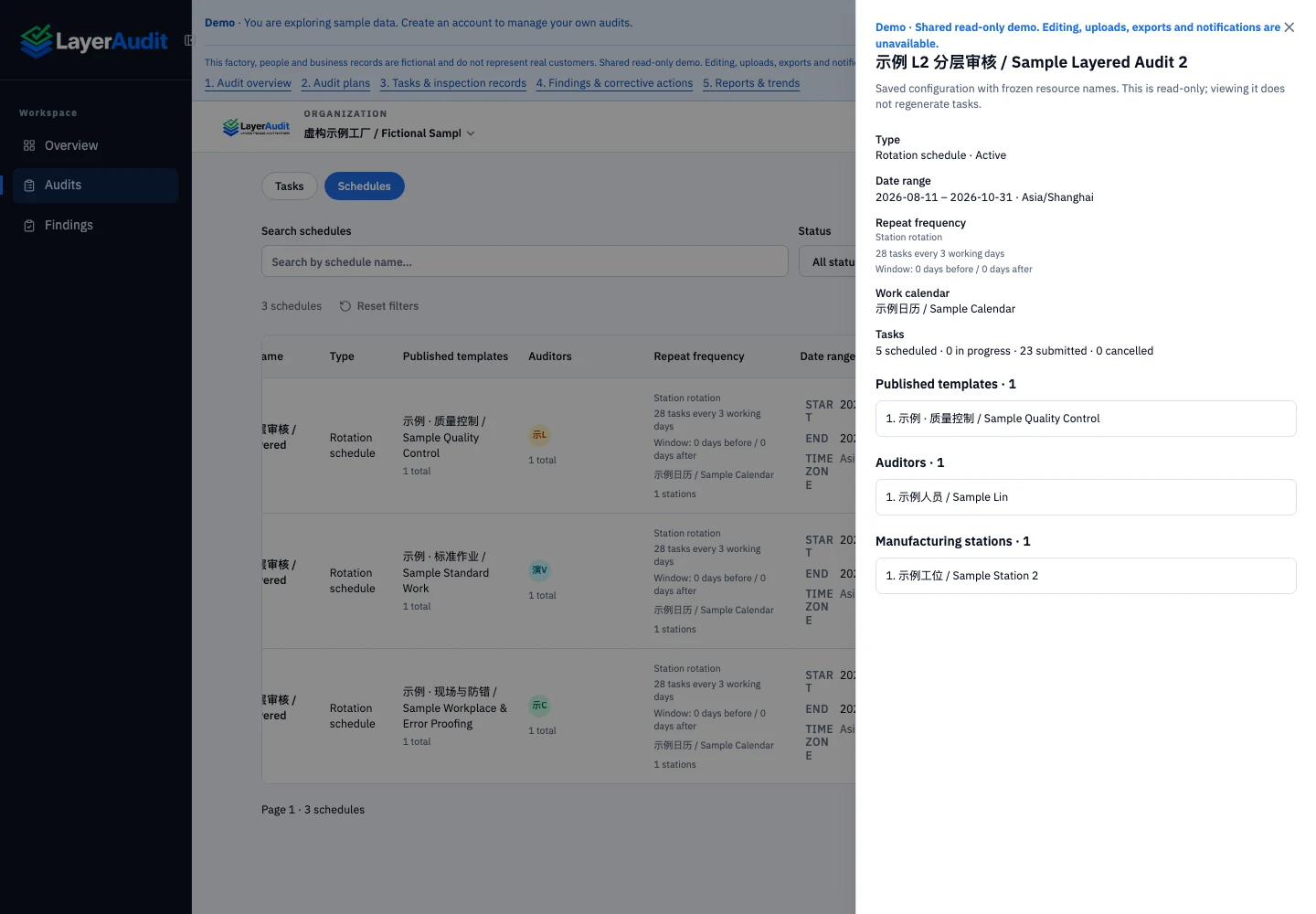
01 · Schedule the work
Inspect the cadence, work calendar, published template, and assignment in the schedule detail.
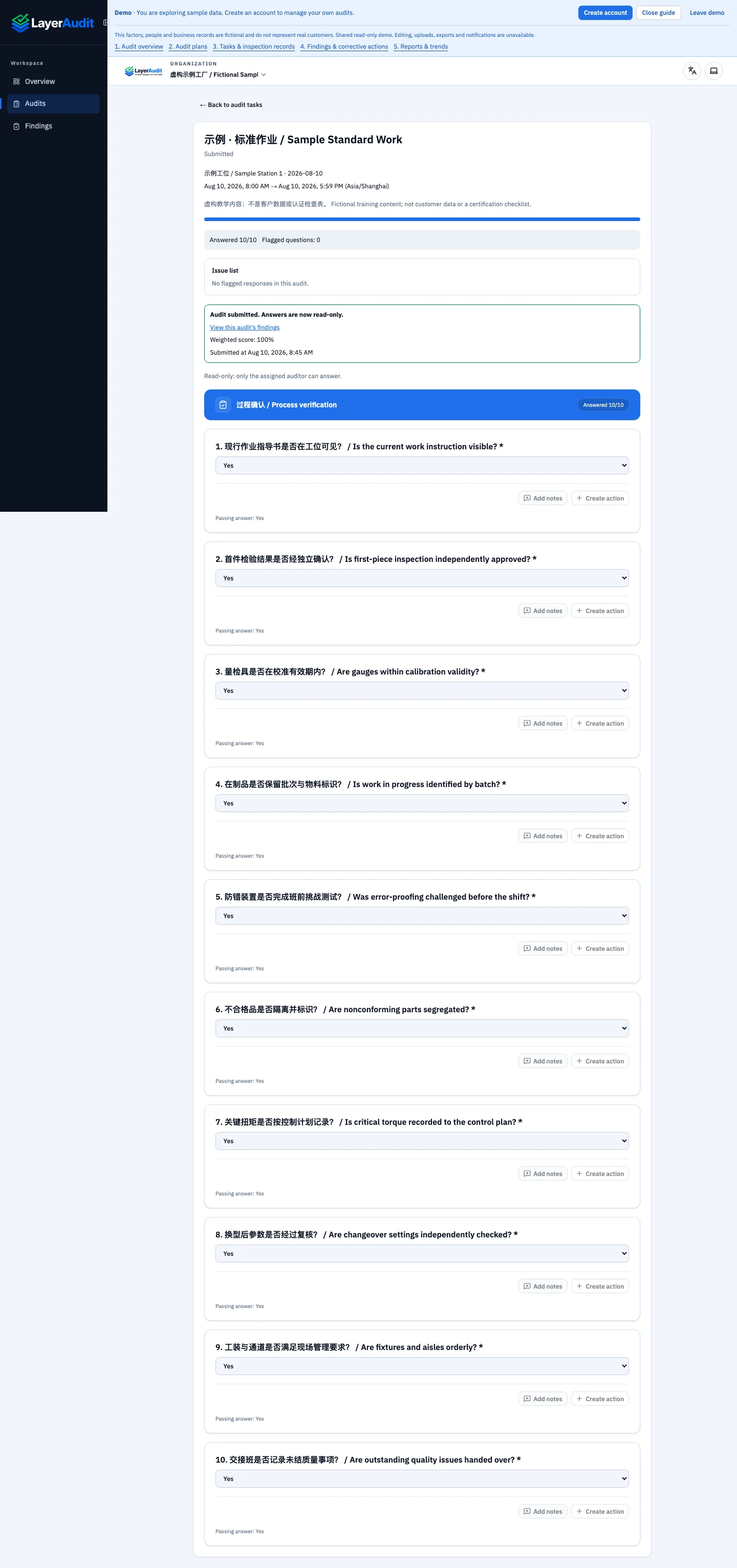
02 · Execute the checklist
Open the assigned task and record the result next to the relevant check.
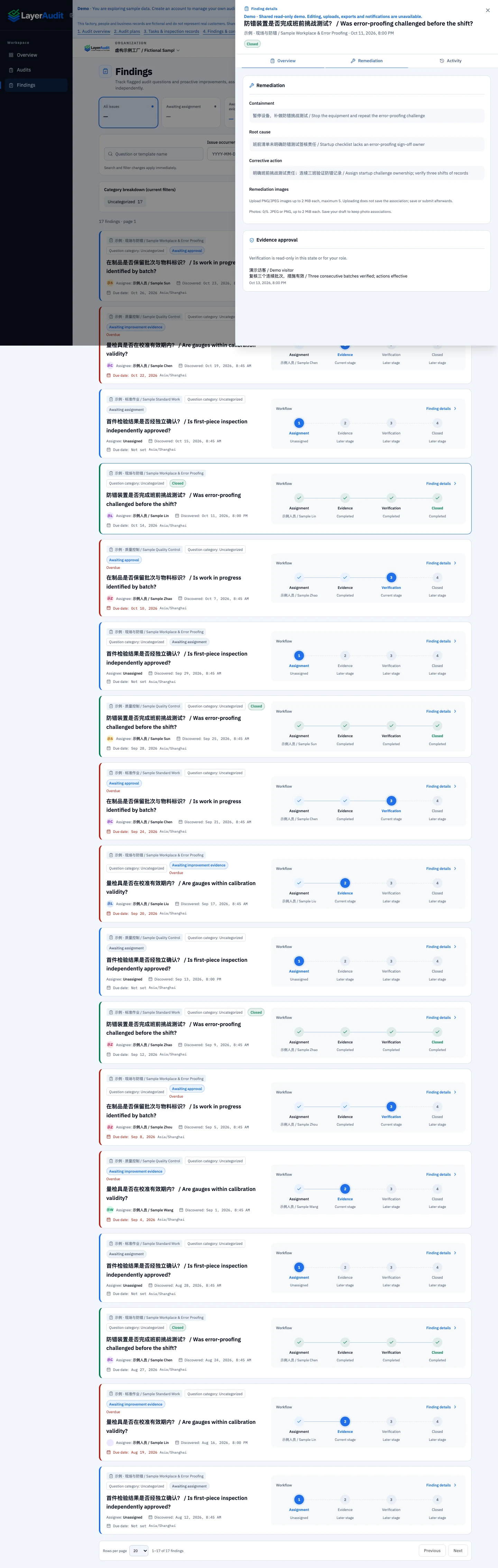
03 · Review the finding
Trace a finding back to its originating response and use the record to coordinate follow-up.
LayerAudit demo workspace · sample data
Frequently asked questions
Can I start with my Excel audit checklist?
Yes. Use the workbook to identify the questions and acceptance criteria to enter. Verify your exact import requirements before moving a large template library.
What happens when a check fails?
Document the observed condition against the task and follow the finding through corrective action. Agree who owns the action and what evidence is needed for closure.
What can I do in the demo?
Browse sample audits, schedules and findings in a read-only workspace. Use your own workspace to test edits with sample data.