Find findings and review remediation history
Visible findings must exist. The demo supports read-only viewing.
Updated: 2026-11-06
Status: draft content. Full workflow verification and key-step screenshots are pending.
Updated: 2026-11-06. Purpose: Find findings and review remediation history。
Roles
有问题访问范围的成员 / Members with finding access
Before you start
Visible findings must exist. The demo supports read-only viewing.
Entry: /findings
Steps
Open Findings and use the visible status, priority and department filters; open overdue scopes from Overview.
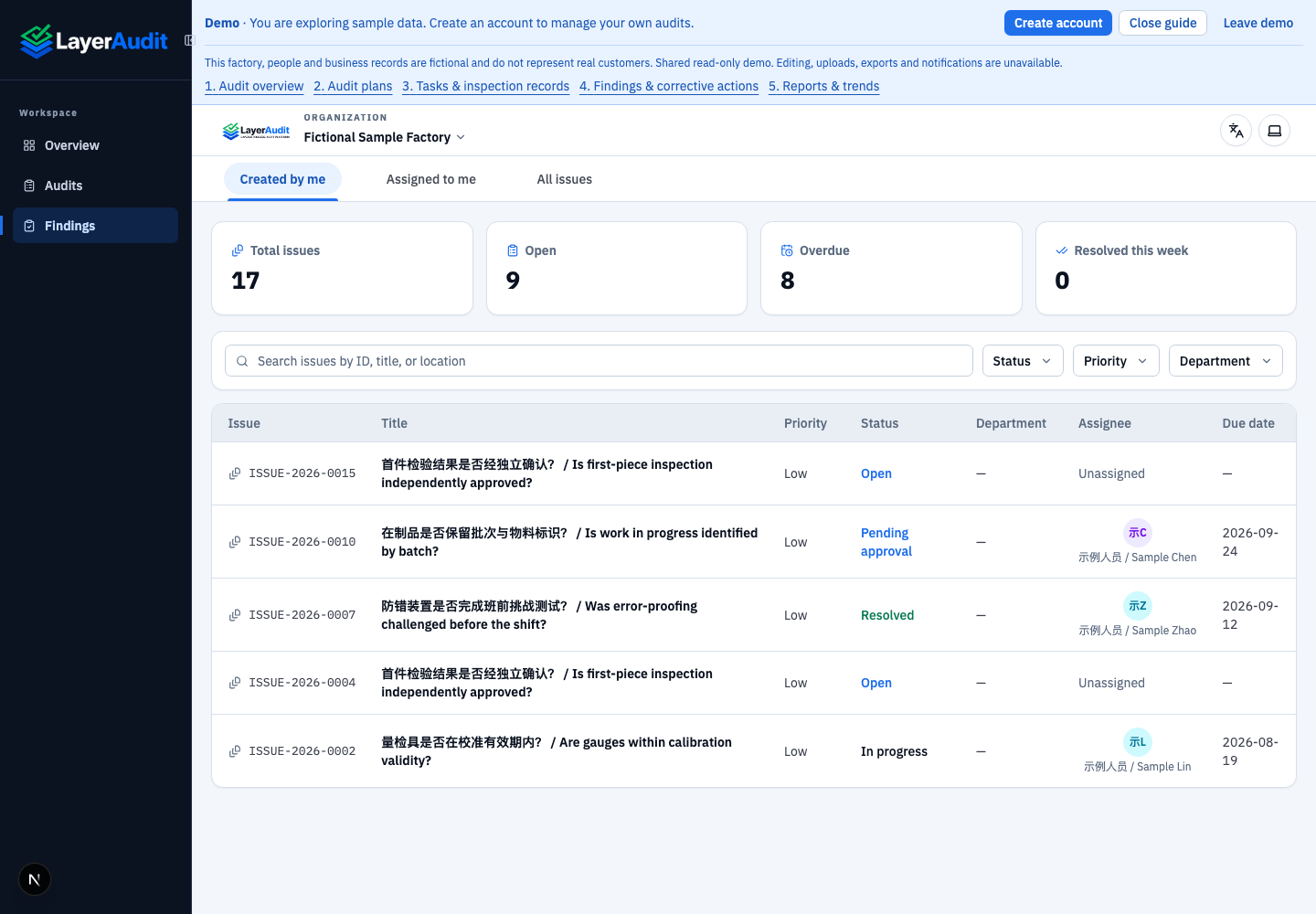
Real local read-only demo; UI language: en · entry。
Open a finding row to review its source question, deadline, evidence and activity history.
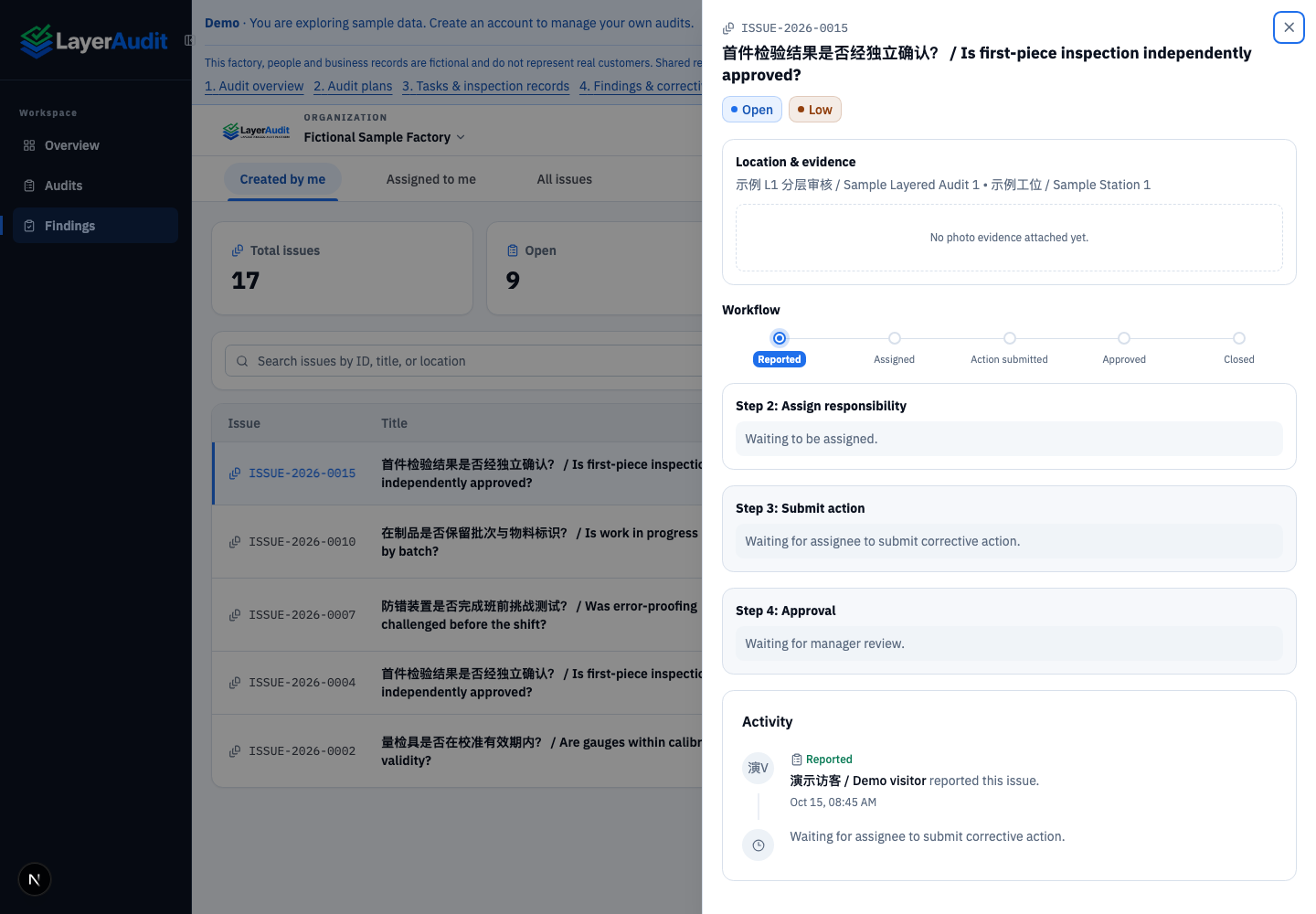
Real local read-only demo; UI language: en · detail。
When opening from a overview risk metric, check the active filter. Choose All issues to restore the full visible scope.
Expected result
Details show the source and remediation history without changing status.
Notes
Web has no standalone New finding button. Findings originate from audit flags or actions.