Find audit tasks and review records
Have visible tasks and adjust the date range as needed.
Updated: 2026-11-06
Status: draft content. Full workflow verification and key-step screenshots are pending.
Updated: 2026-11-06. Purpose: Find audit tasks and review records。
Roles
企业管理员及可见任务的成员 / Managers and members with task access
Before you start
Have visible tasks and adjust the date range as needed.
Entry: /audits
Steps
Open Audits → Tasks and use the available date, status and auditor filters.
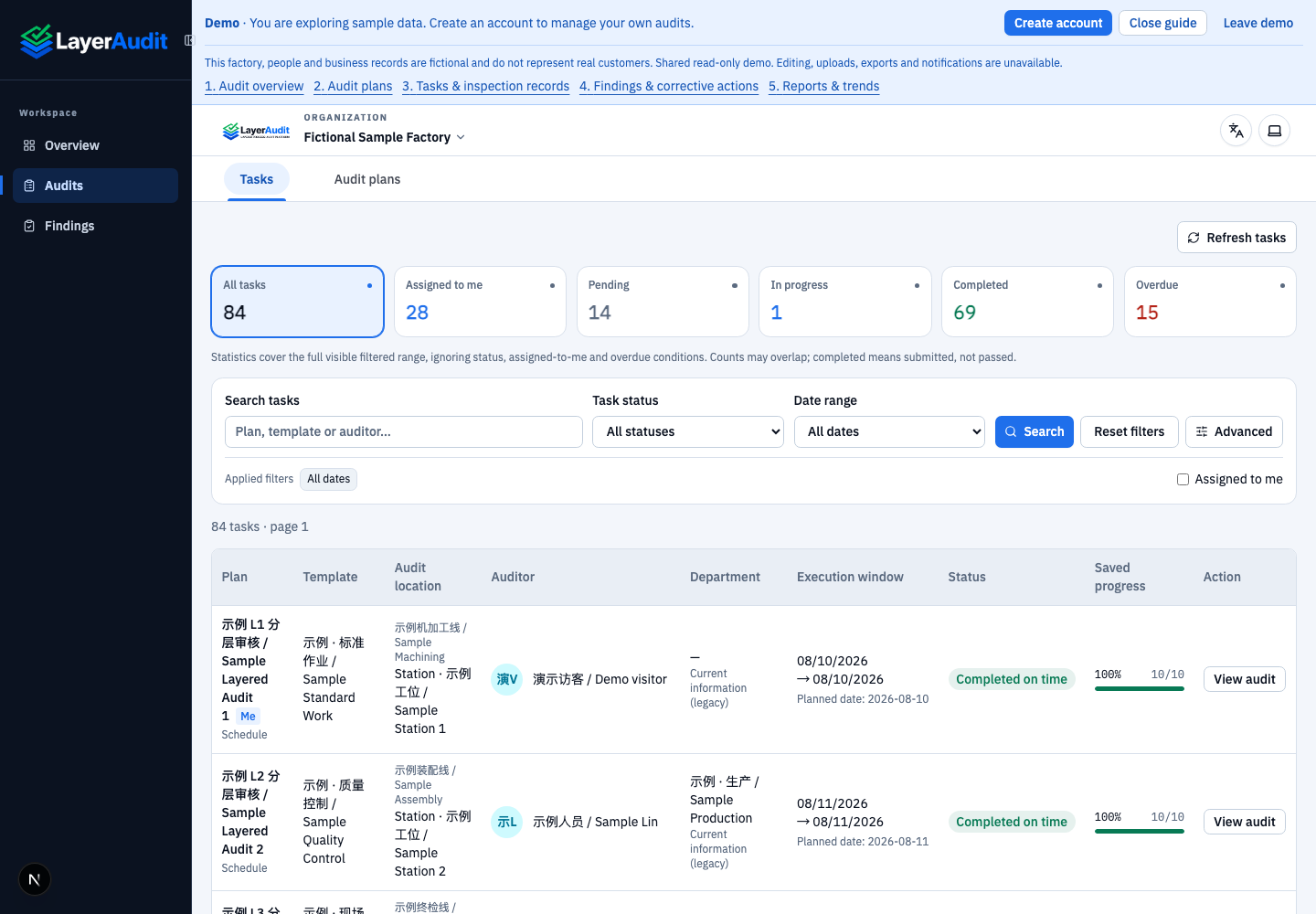
Real local read-only demo; UI language: en · entry。
Review status and overdue indicators, then open a task or audit record.
Use pagination for more results. Submitted records are read-only.
Expected result
You can locate tasks and records within your access scope.
Notes
Cancelled and replaced tasks are historical records. Late submissions are completed tasks, not outstanding work.